
Appointment Booking for Google Calendar™
The Easiest Online Google Booking System
It's free, simple, and private. This appointment booking app integrates directly with your Google Calendar™. Eliminate the manual work of managing your customer appointments and bookings with this booking system. Unlike other complex software that requires complex configuration, our streamlined calendar scheduler is designed for business owners and professionals seeking to optimize automation.
Key Features:
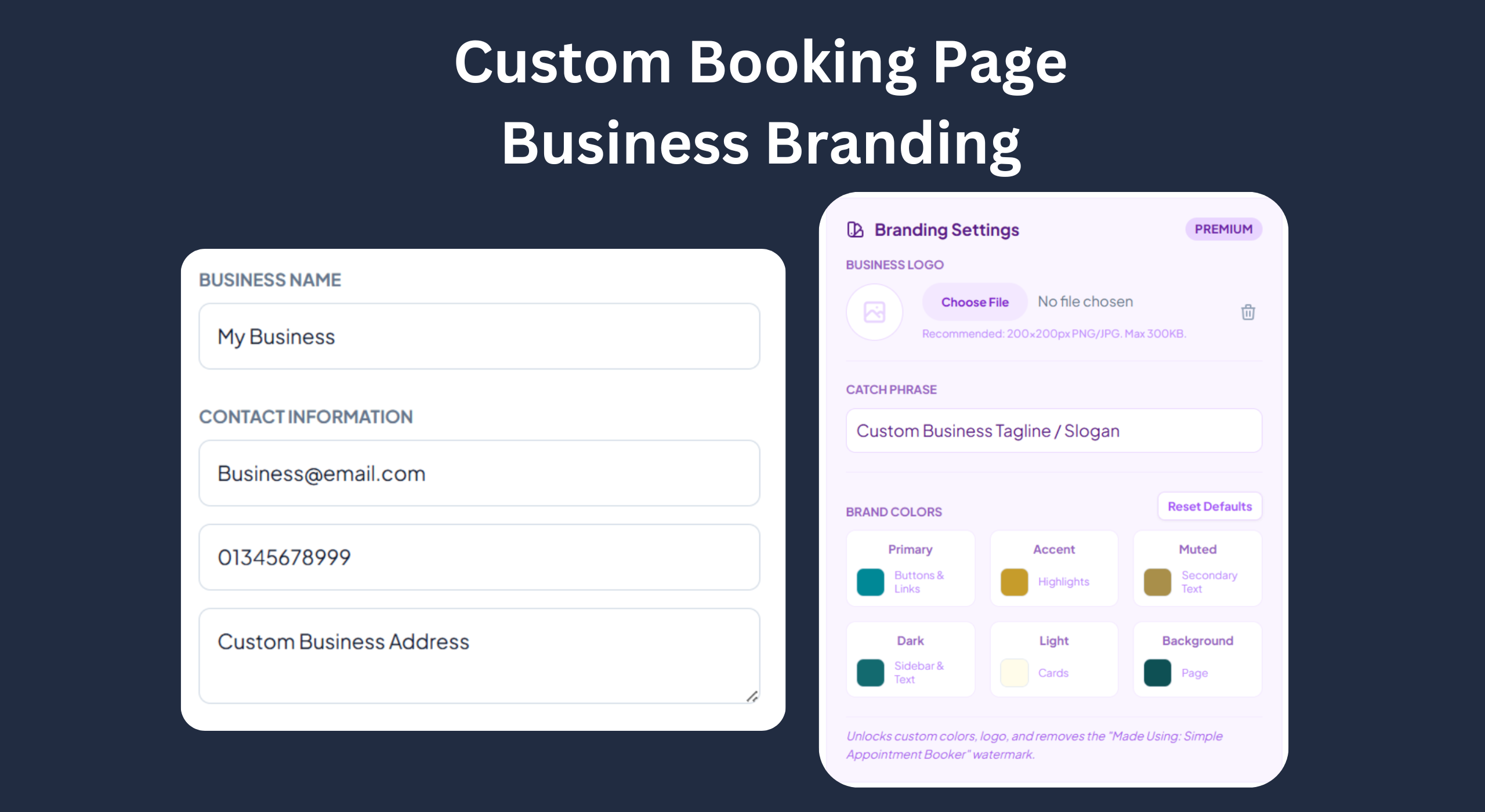
- Customizable Online Booking Page: Add your logo, brand colors, and business details.
- Unique Booking Page URL: Your custom digital address. Example: link.appointmentbooking.org/YourBusinessName
- Smart Availability: Automatically syncs with your Google Calendar to prevent double bookings.
- Instant Notifications: Get email alerts the moment a client books a slot.
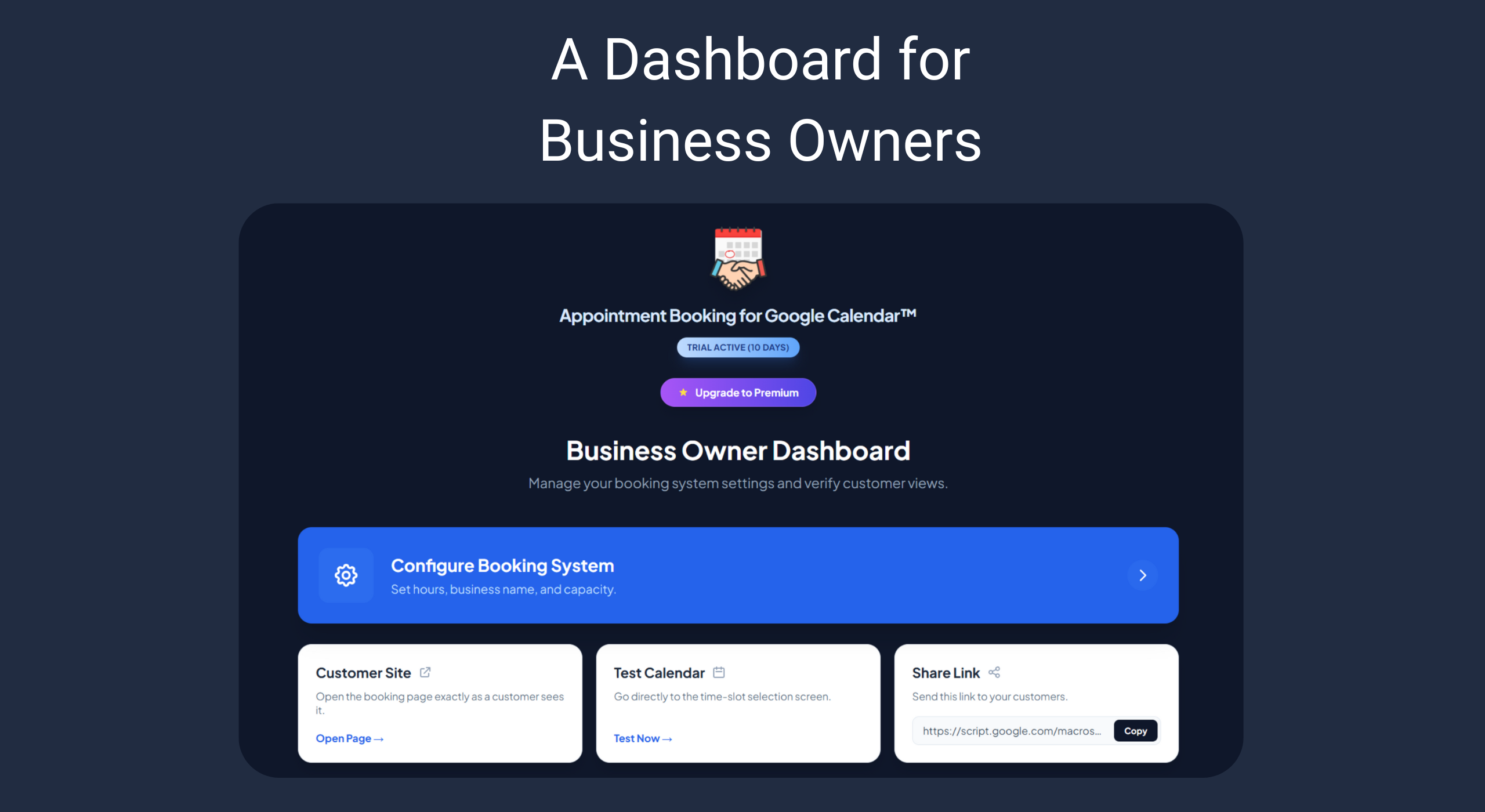
- Booking Management: Confirm or cancel appointments directly from a built-in dashboard.
- Role-Based Access: A secure admin dashboard for you, and a public booking page for your clients.
Perfect for:
- Business Owners: Hotels, Transients, and Homestays looking for a cheap booking app.
- Professional Services: Lawyers, Accountants, and Consultants needing reliable scheduling.
- Health & Wellness: Therapists, Yoga Instructors, and Personal Trainers.
- Education: Tutors and Professors managing office hours.
- Sales & Recruiting: Teams needing to schedule demos and interviews.
Premium Features:
Upgrade to unlock custom branding, multiple capacity slots, and room management.A trial period of 30 days is included from your first day of installation to test out the premium features.
How to Get Started:
Install: Click the Install badge to add the tool to your Google Calendar™ and GMail.
Define: Set your 'Bookable Hours' directly within the sidebar.
Share: Copy your unique booking link and paste it in your email signature.
Automate: Watch your calendar fill up automatically!

Why Choose our Free Calendar Booking Software?
Most booking tools require complex setups and force you to sync your private data to a third-party server which makes them expensive. Our add-on is different. It lives within Google Ecosystem which makes it secure and private.
⚡ Low Learning Curve: No need to learn complicated integrations. If you know how to use Google Calendar™, you already know how to use this tool.
💰 Affordable Efficiency: Skip the "SaaS bloat" and expensive monthly subscriptions. Get all the features you need without the recurring high costs.
Features
📝 Custom Booking Forms: Need more than just a name? Collect phone numbers, intake answers, or specific project details right when the client books.
🌍 Time Zone Intelligence: Working with international clients? The system automatically detects your client's time zone and converts slots to their local time, so nobody misses a meeting.
🎥 One-Click Video Conferencing: Automatically generate unique Google Meet links for every virtual appointment.
A Custom Booking Page for your Customers
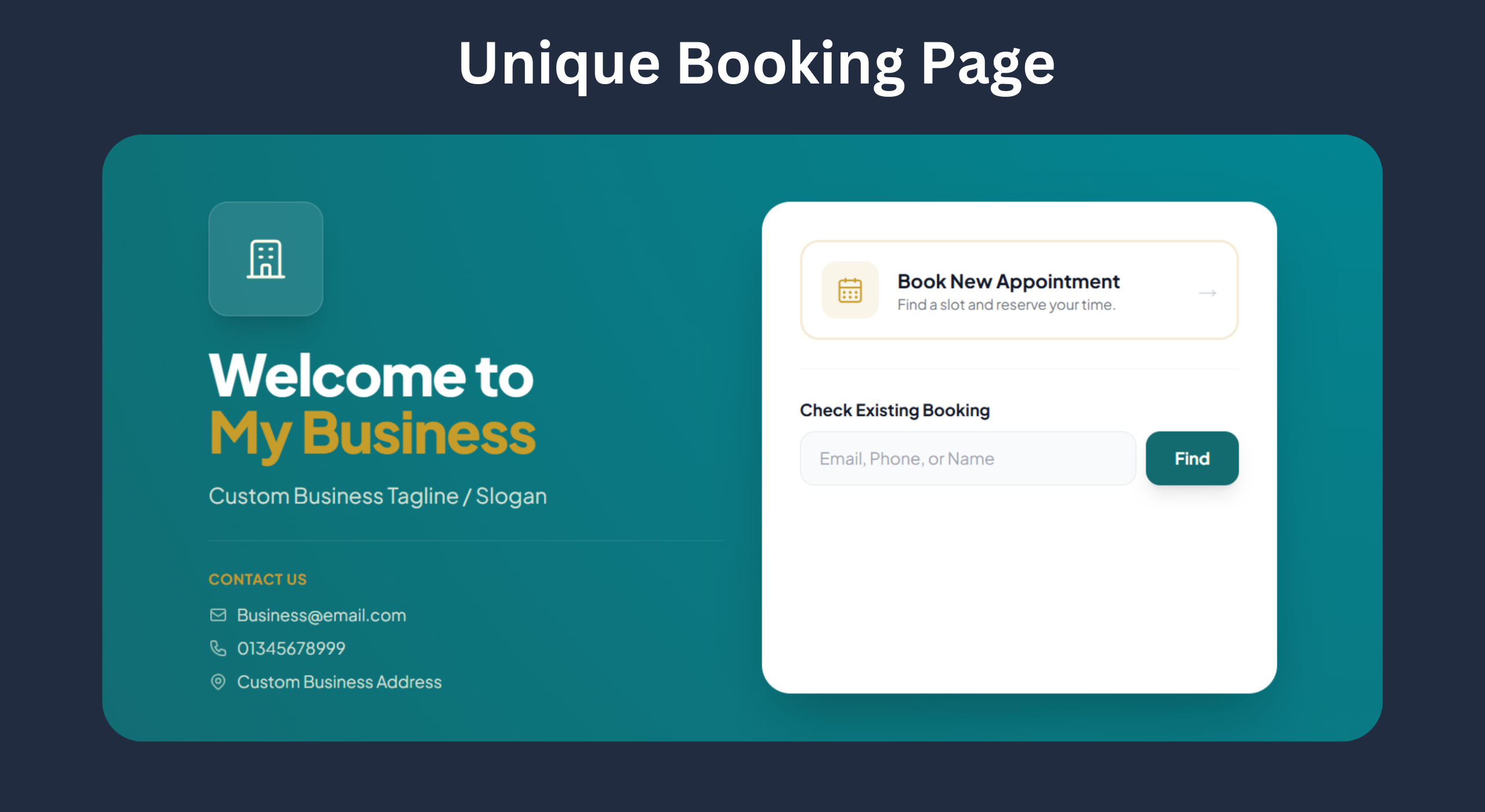
Make Your Brand Unforgettable ✨ Ready to stand out? Appointment Booking for Google Calendar™ lets you customize your page so your clients know exactly who they are booking with.
🎨 Brand Colors: Create a seamless experience by matching your booking page to your unique brand palette.
📣 Brand Phrase: Add your signature catchphrase or slogan to give your business a voice!